Deepseek Price Hike, Routing Arbitrage Saves Cost
DeepSeek Just Raised Prices (and Added Peak Hours). Here’s How to Keep Your LLM Bill in Check with Routing Arbitrage
DeepSeek recently increased pricing and introduced peak-hour surcharges. For teams that were happily routing a large share of traffic to DeepSeek models, the bill just got less predictable.
The good news: you don’t have to rip everything out or start manually swapping models every time a provider changes its price sheet. With an AI gateway that supports cheaper-model swaps (also called routing arbitrage), you can keep the same model names in your code while the gateway automatically prefers lower-cost equivalent providers when they’re available.
Here’s how we handle it at Leanroute.
The Problem: Static Model Names + Dynamic Pricing
Most applications hard-code a model string (deepseek-chat, deepseek-reasoner, etc.). When that provider:
- raises list prices,
- adds peak-hour multipliers, or
- experiences regional capacity issues,
your cost and latency both suffer. Manually changing every client or feature flag is slow and error-prone.
The Solution: Cheaper-Model Swaps + Guardrails
Leanroute’s routing layer can automatically substitute a cheaper (or better-value) model when one is available, while still respecting your compliance and preference rules.
1. Turn on cheaper-model swaps
In the dashboard (Routing settings):
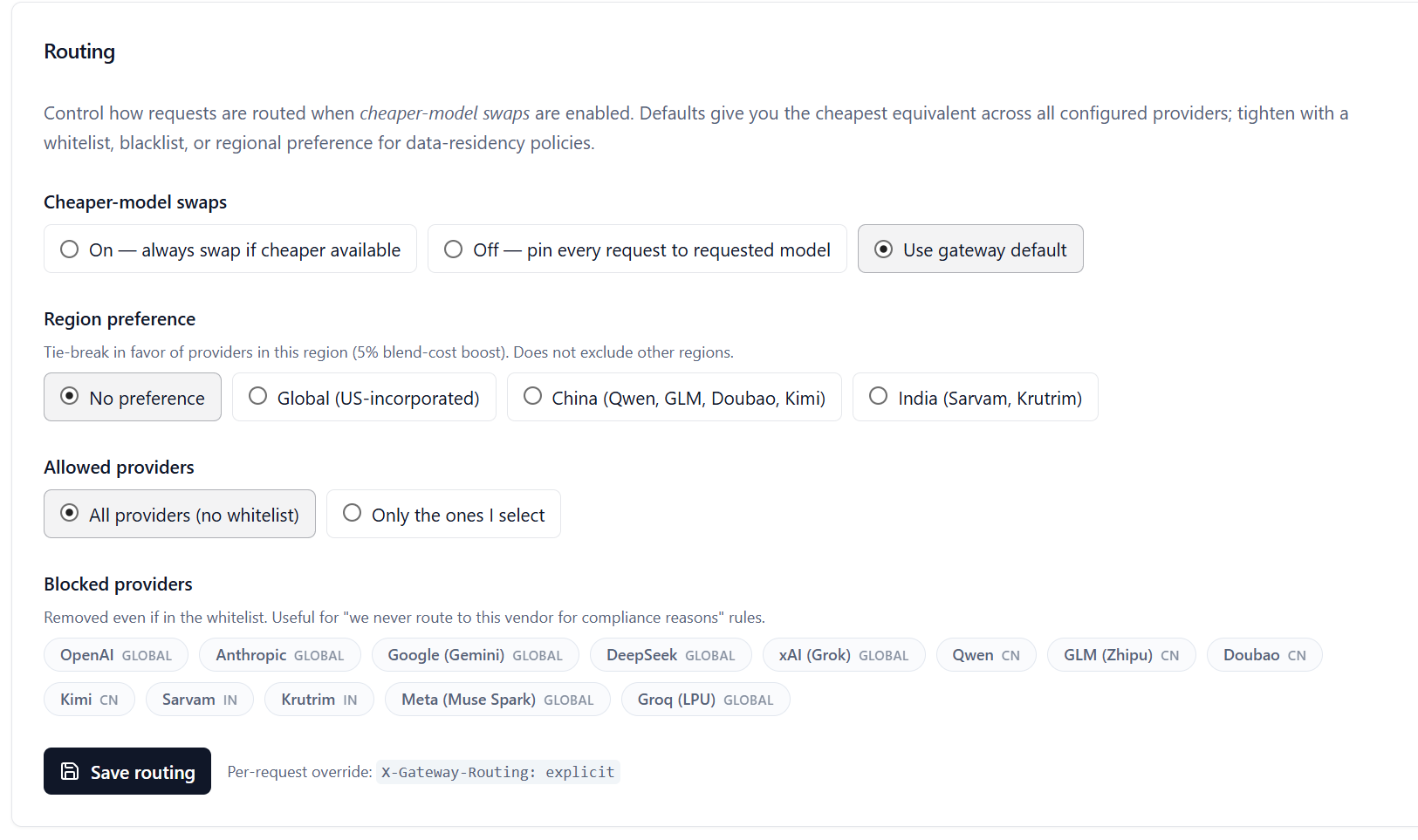
Key controls:
Cheaper-model swaps
On — always swap if cheaper availableOff — pin every request to requested modelUse gateway default
Region preference
A soft preference (5 % blend-cost boost) for providers in a given region. Useful for data-residency or latency preferences without hard exclusion.Allowed providers
Either “All providers (no whitelist)” or a strict allow-list.Blocked providers
Hard blocks that apply even if a provider is on the whitelist — perfect for “we never route to this vendor for compliance reasons.”
With swaps enabled, a request that asks for a DeepSeek model can be fulfilled by a cheaper equivalent from another provider when the economics make sense. Your application code stays the same.
2. Keep an escape hatch for deterministic routing
Sometimes you do need the exact model you named — for example when:
- benchmarking,
- you rely on a specific model’s tool-calling behavior,
- or a compliance rule requires a particular vendor.
In those cases, send the request header:
x-gateway-routing: explicit
This disables cheaper-model swaps and provider arbitrage for that single request, even if your organization has them turned on. Docs and examples:
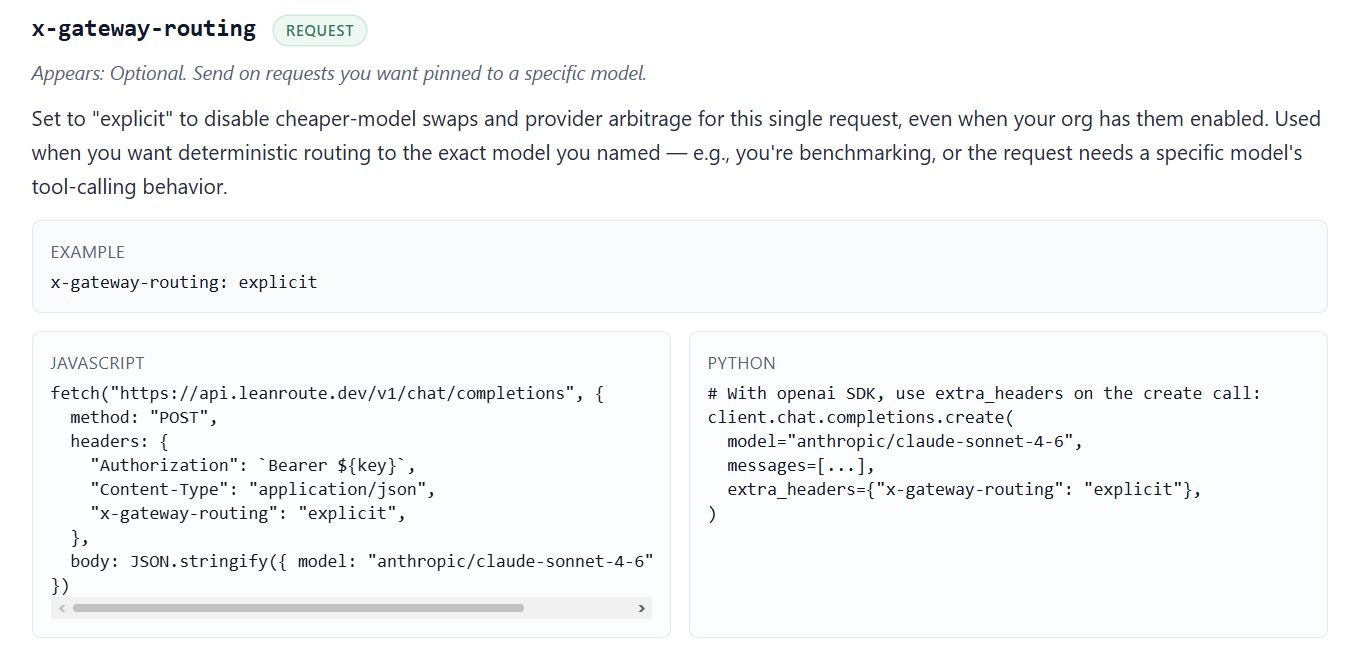
JavaScript
fetch("https://api.leanroute.dev/v1/chat/completions", {
  method: "POST",
  headers: {
    "Authorization": `Bearer ${key}`,
    "Content-Type": "application/json",
    "x-gateway-routing": "explicit",
  },
  body: JSON.stringify({ model: "anthropic/claude-sonnet-4-6", /* ... */ }),
});
Python
client.chat.completions.create(
    model="anthropic/claude-sonnet-4-6",
    messages=[...],
    extra_headers={"x-gateway-routing": "explicit"},
)
Practical Playbook After a Price Hike
- Leave swaps on for the bulk of traffic (cost-sensitive or exploratory workloads).
- Use region preference if you care about data residency or want a mild bias toward certain geographies.
- Block any providers you are not allowed to use (compliance, contractual, or risk reasons).
- Send x-gateway-routing: explicit only for the requests that truly need a pinned model.
- Monitor the difference in effective cost and latency — most teams see meaningful savings without changing a single line of application logic.